
Now on Google Play
Meal planning that fits your life.
A personalised meal plan for your household, without all the thinking.

Coming soon to iOS.
See how it works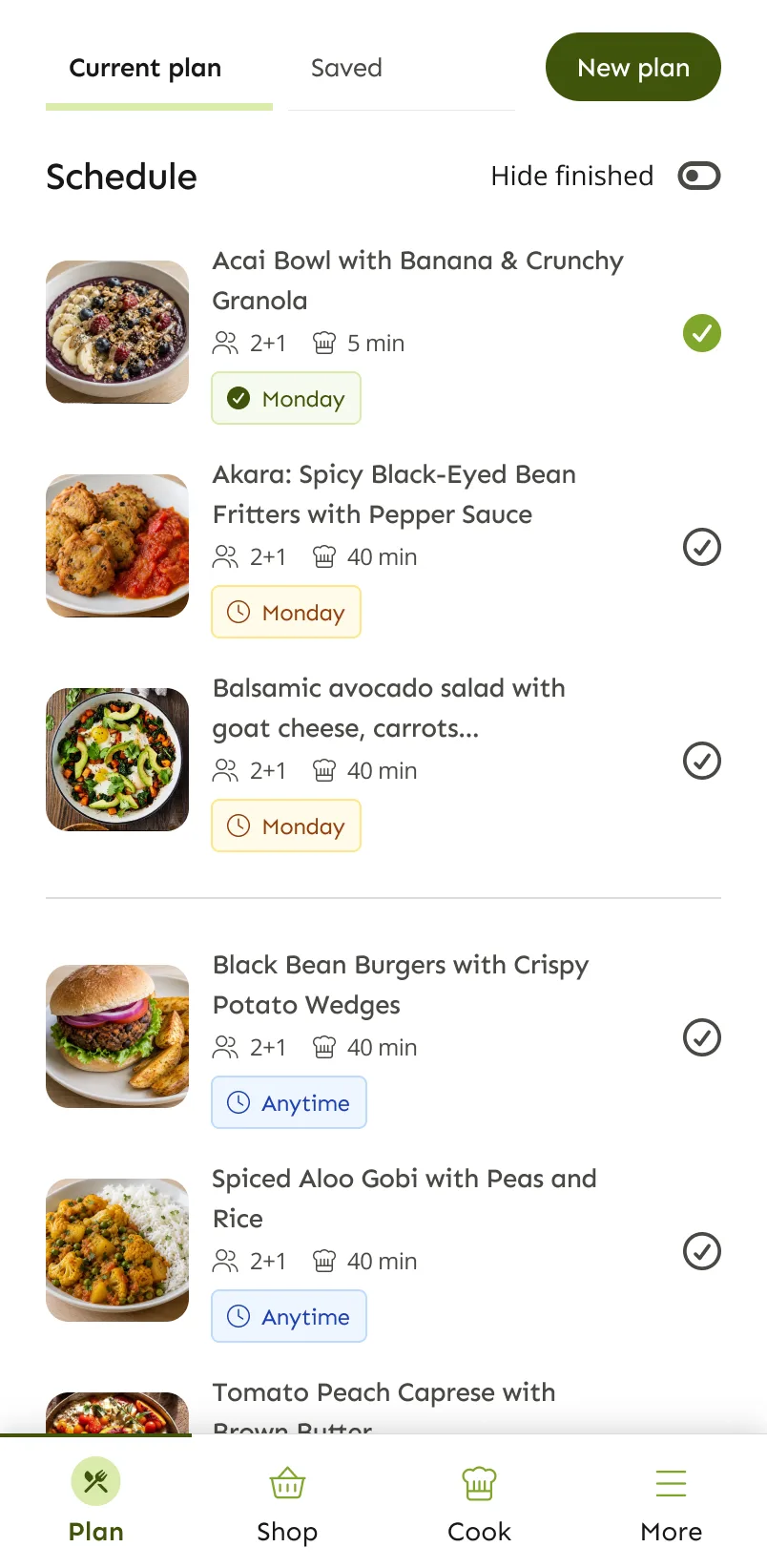

Why do we have to figure this out every week?
Deciding what to eat is a small job that never ends. It comes back every evening, and it's harder when everyone at the table wants something different.
- What's for dinner tonight?
- Didn’t we just have pasta?
- Can the kids eat this?
- What do we need from the shop?
- Is there time to cook that on a Tuesday?
Planned around the people you actually feed
Tell LazyMeals who is eating and what they like. It takes everyone’s preferences into account and turns them into one practical plan.
More about family meal planningYour household
- Sam AdultLoves Italian, avoids olives
- Alex AdultVegetarian on weekdays
- Maya ChildNo spicy food
Your week
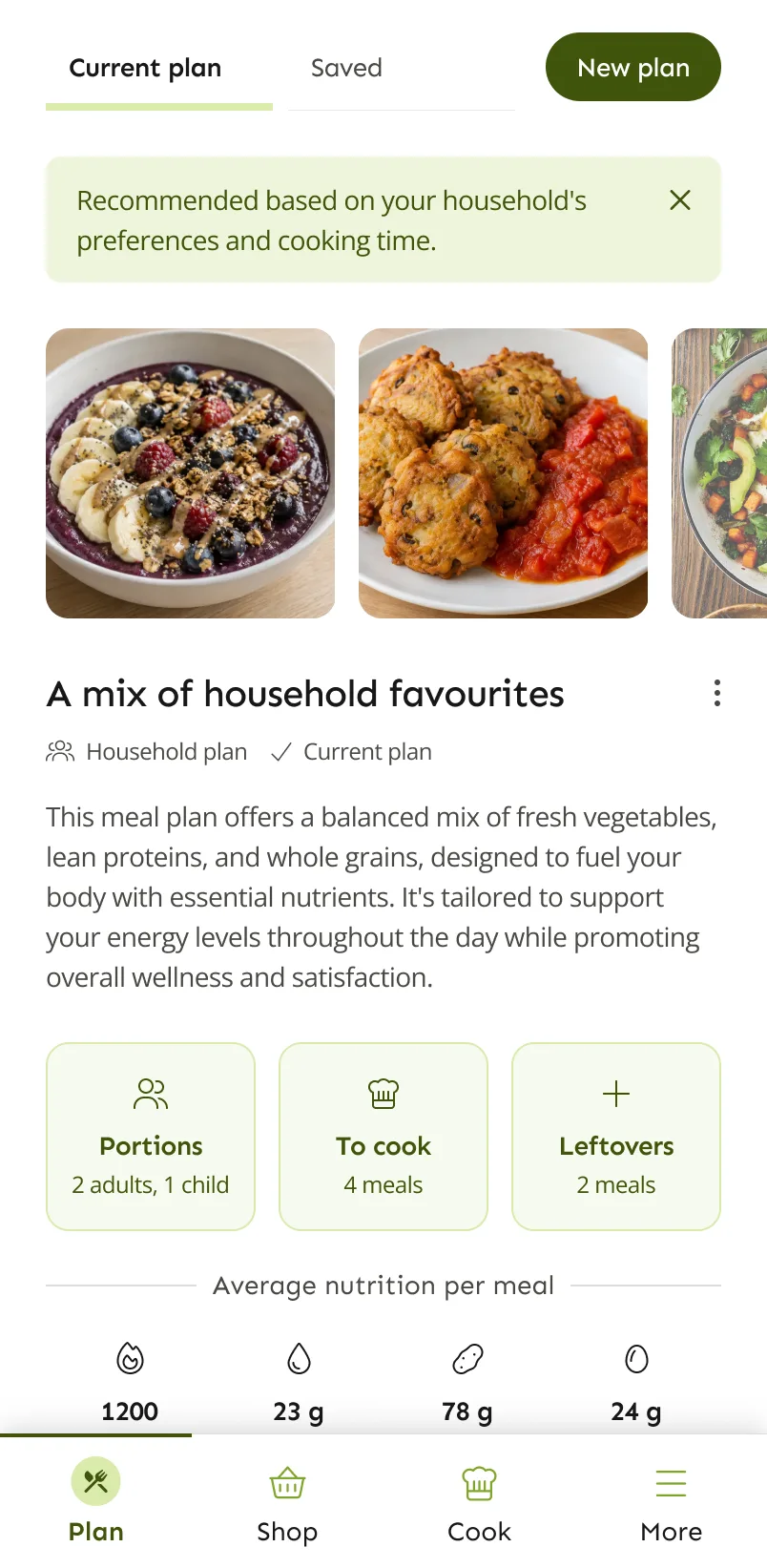
One plan that works for everyone
- 4 meals to cook
- 2 nights of leftovers
- Under 30 minutes
Three steps. Mostly lazy ones.
More about the meal plan generatorTell LazyMeals what you like
Answer a few quick questions about your household, diets, favourite foods and what to avoid.
Let LazyMeals plan your week
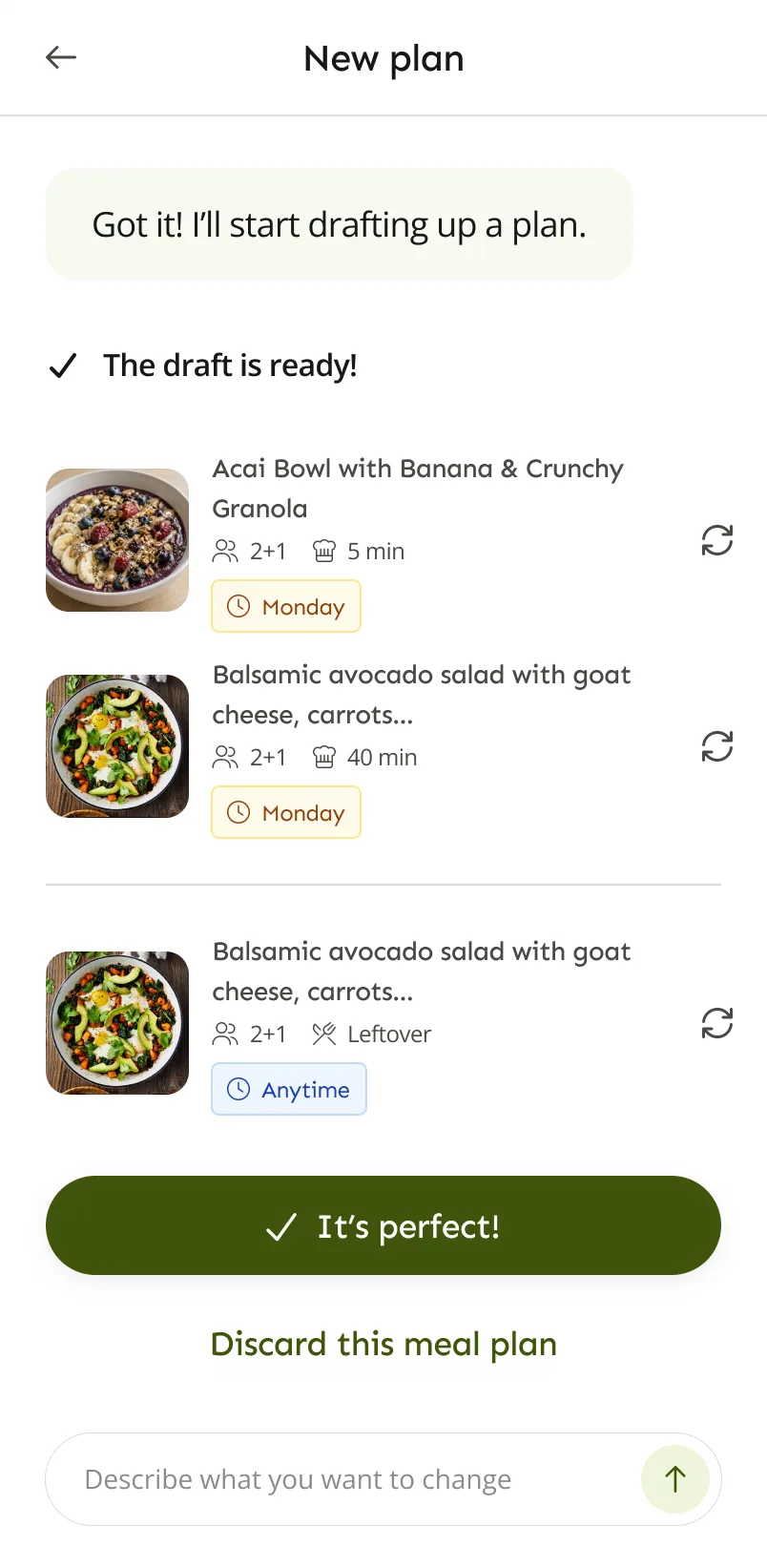
LazyMeals drafts a plan for you. Swap a recipe or describe what you want changed, in your own words.
Get on with your life
Your schedule, recipes and grocery list are ready. Just shop, cook and eat.
See how it works
This is the real LazyMeals app. Here is what planning a week looks like.
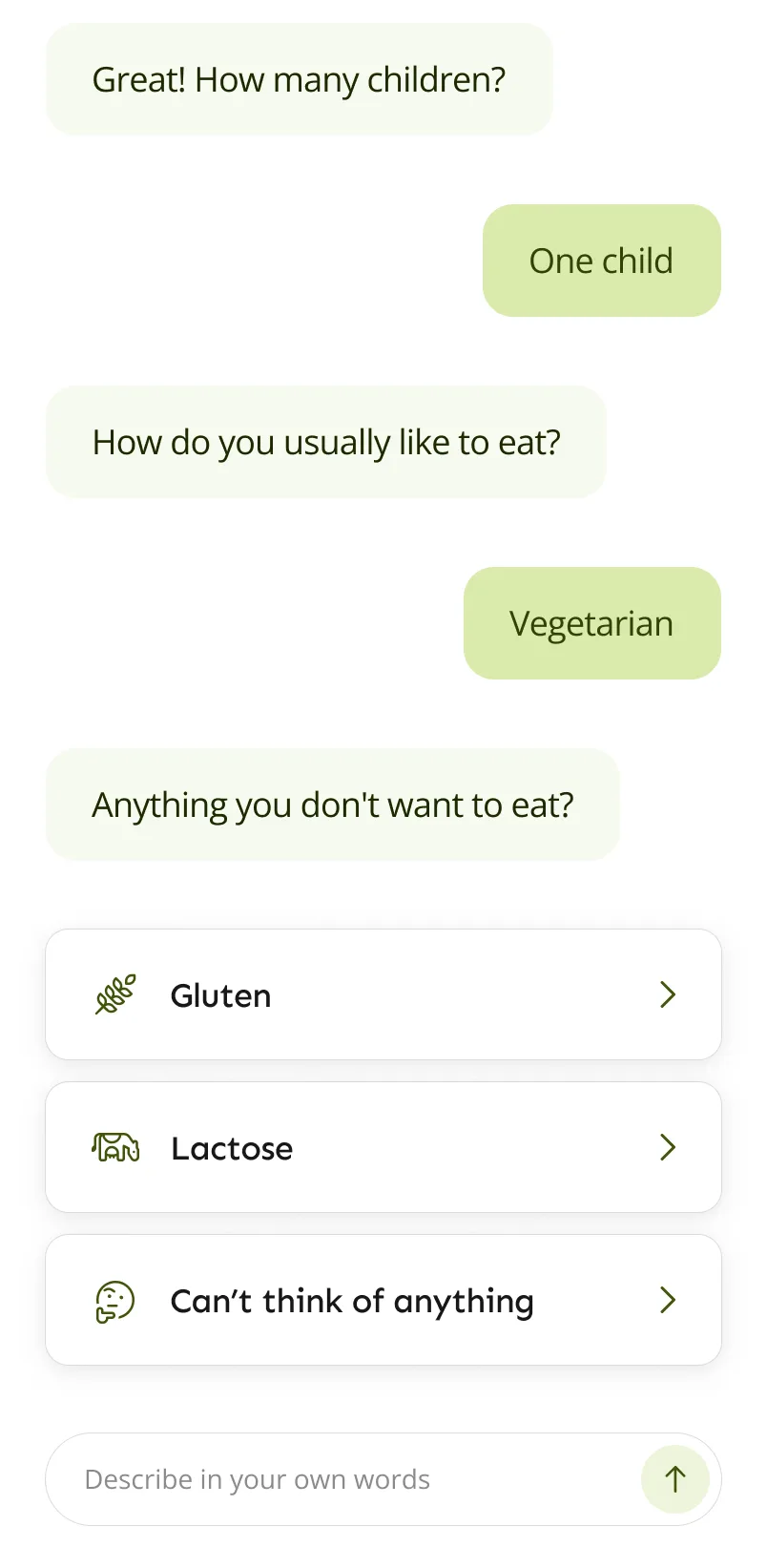
Start with a quick chat
LazyMeals asks about the people you cook for and what they eat. No long forms.
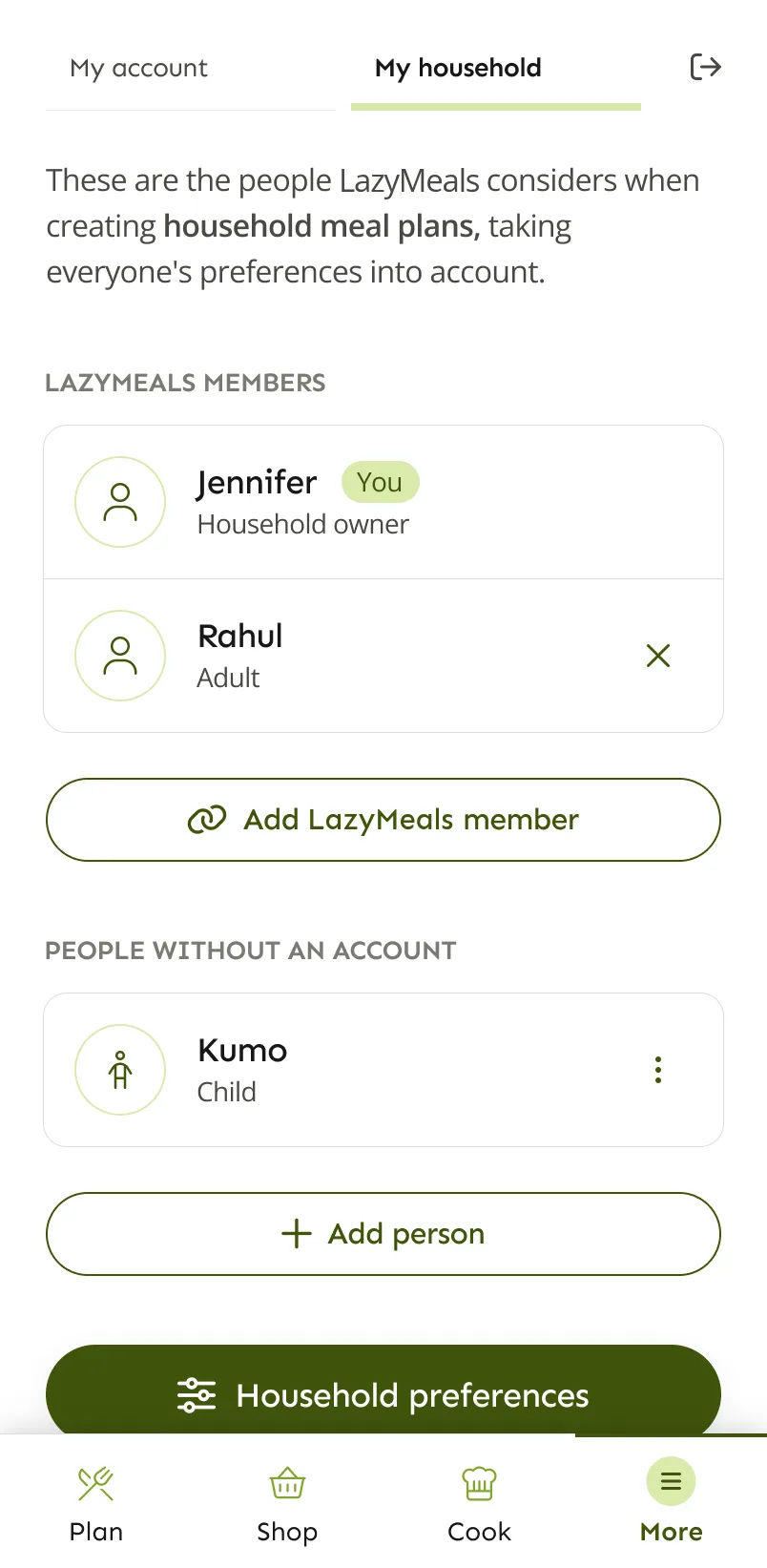
Add your household
Add the people you cook for, including children who don’t need an account of their own.
Get a plan drafted for you
Review the draft, swap any recipe, or just say what you want changed.
See your whole week
See your meals for the week at a glance, keep track of what’s ready, and know what you’re cooking next.
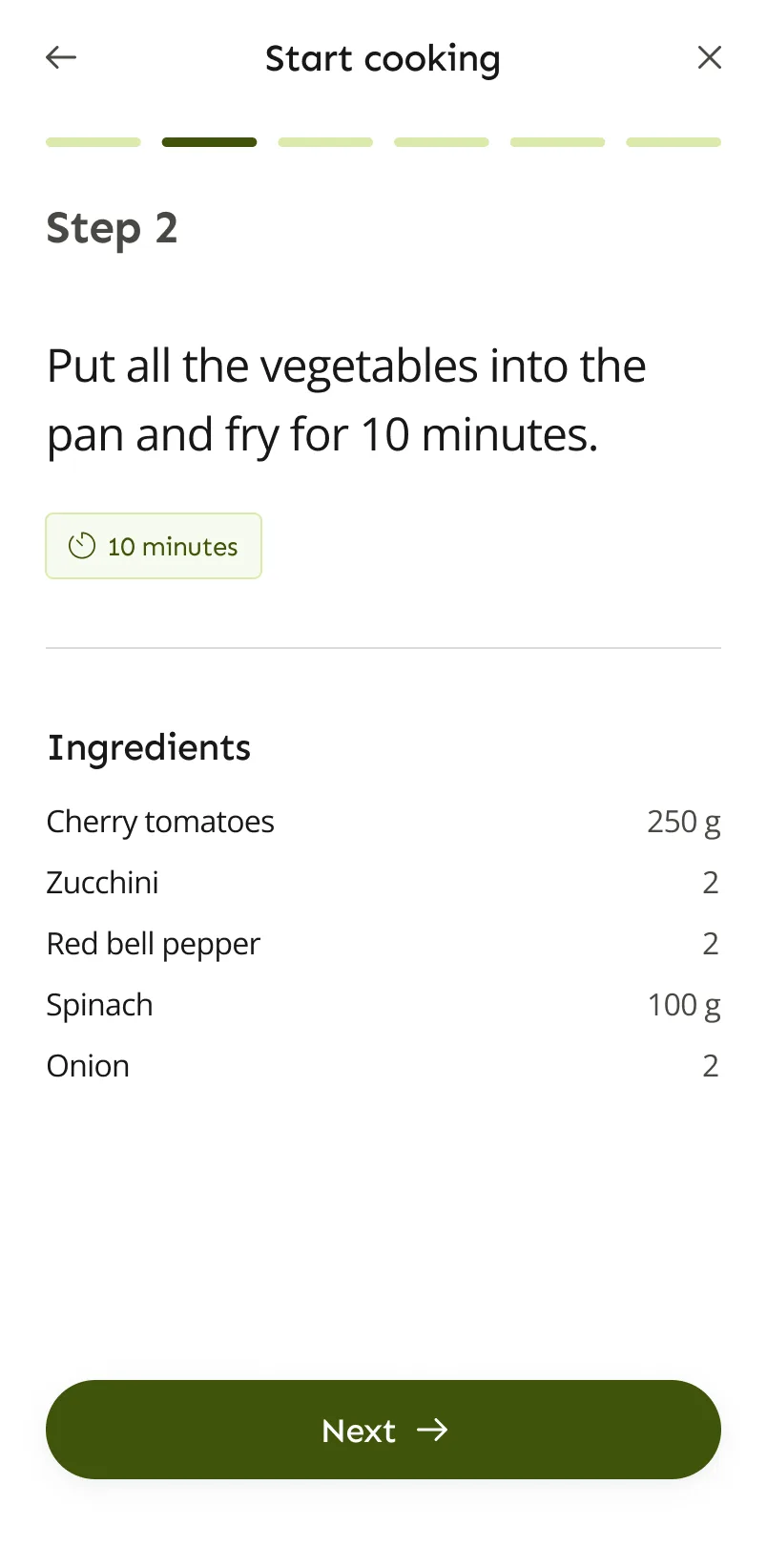
Cook step by step
Clear recipes with timers and the ingredients you need for each step.
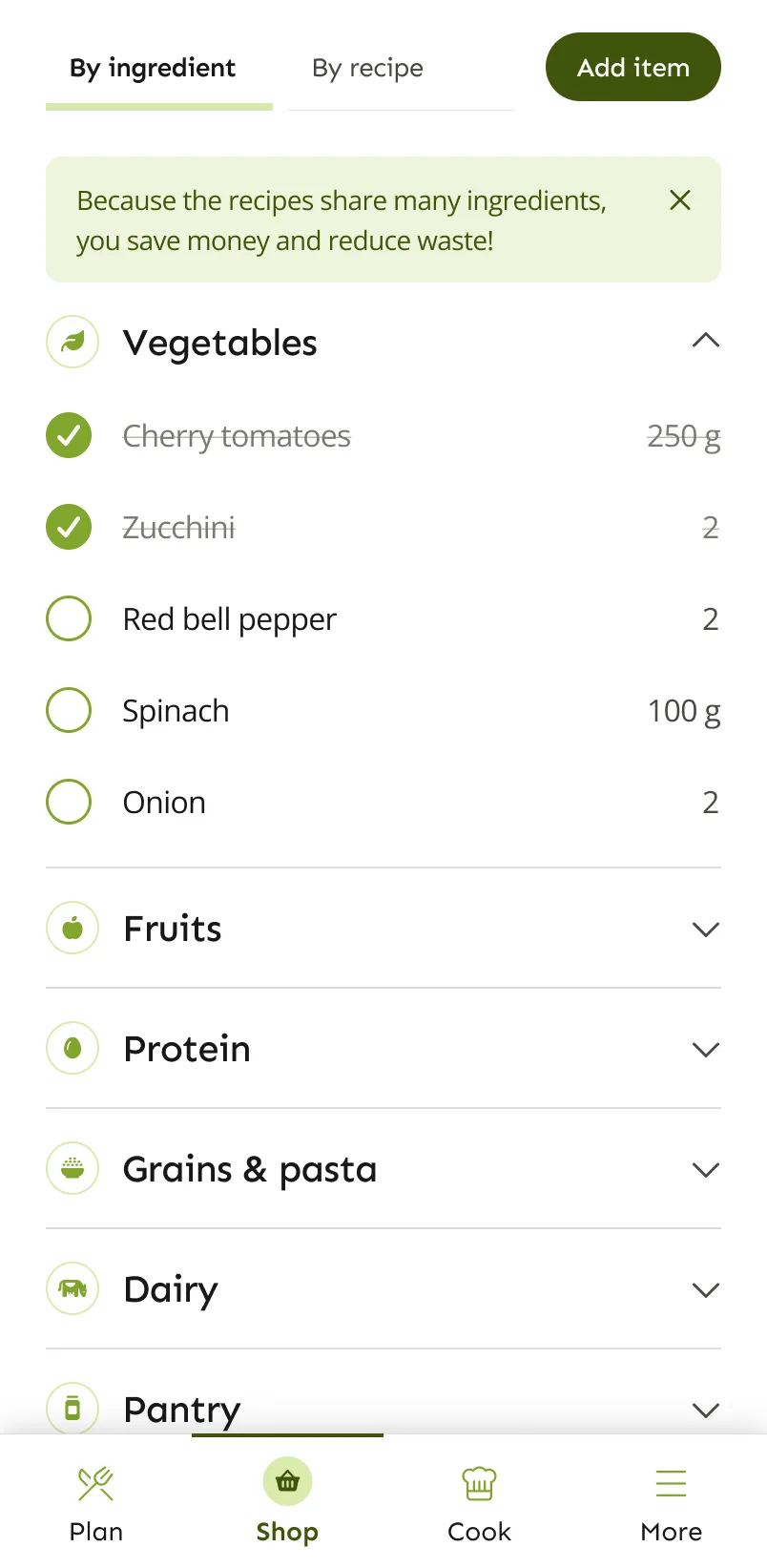
Shop with a ready-made list
Your grocery list is built from the plan and grouped so you can get through the shop quickly.
Less planning. More living.
Less planning
LazyMeals does the planning, so your evenings aren’t spent scrolling recipes.
Fewer decisions
No more daily “what should we eat?” conversations.
Less stress
You know what’s for dinner and you already have what you need.

Being lazy about meal planning is actually the smart choice.
Save your energy for the things you enjoy. LazyMeals handles the repetitive part.
Questions, answered
See all questionsWhat is LazyMeals?
LazyMeals is a meal planning app. It creates a personalised weekly meal plan for you or your whole household, with recipes, step-by-step cooking and a grocery list.
Can LazyMeals plan for a whole household?
Yes. You can add the people you cook for, including children who don’t have their own account, make a plan for the whole household or just for yourself, and change how many adults and children are eating.
Does LazyMeals create a grocery list?
Yes. Your grocery list is built from your meal plan. You can view it by ingredient or by recipe, tick items off and add your own.
Is LazyMeals free?
Yes, LazyMeals has a free plan. There’s also a paid plan, Premium, with unlimited active meal plans, more AI help and saving recipes. People who joined the early-access list and confirmed their email address before launch get a discount code by email. It gives 50% off one billing period of Premium (at least 50% on the App Store): one month on monthly billing, or one year on yearly billing. The code works until 31 December 2026.
Let LazyMeals do the thinking.
LazyMeals is on Google Play. Download it, add your household and get your first plan.
Coming soon to iOS.