
Now on Google Play
LazyMeals vs AnyList: which app is better for meal planning?
Both help a household plan its meals and shopping, but they start in different places. AnyList starts with your lists and recipes. LazyMeals starts with the people you cook for and drafts the plan.
In short
AnyList is a strong choice if your household mainly needs to coordinate shopping. Creating and sharing lists is free, and AnyList Complete adds a meal planning calendar that turns planned recipes into a grocery list.
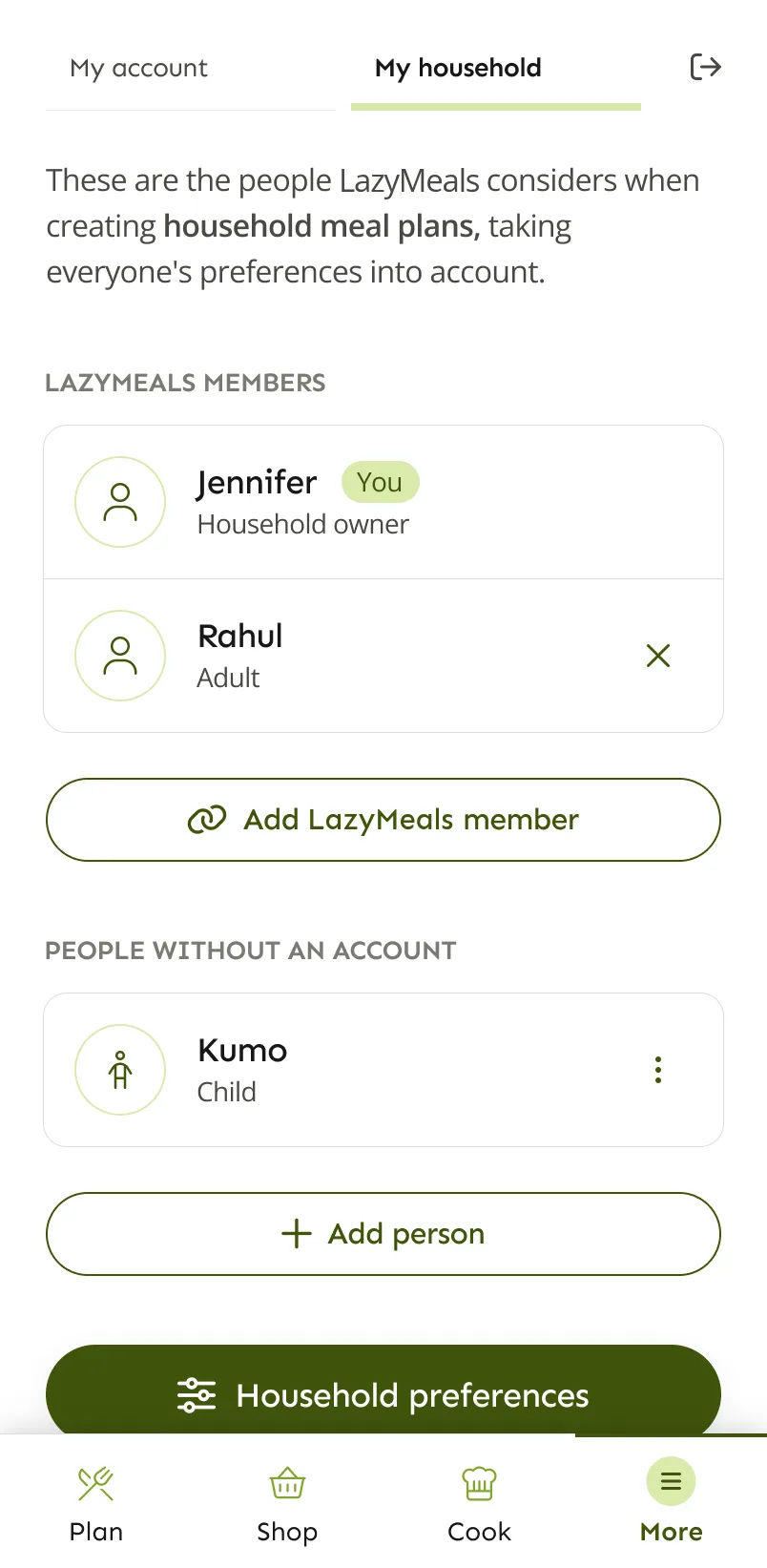
LazyMeals is for households that want help with the step before that: deciding what to eat. It drafts a plan around everyone’s preferences and links it to the recipes, cooking and shopping.
AnyList and LazyMeals compared
AnyList details come from its features page, help centre and blog. AnyList has a free version and a paid subscription, AnyList Complete, so we say which one each feature needs.
| Compared | AnyList | LazyMeals |
|---|---|---|
| Making a meal plan | AnyList Complete: add recipes and notes to a calendar and drag them around. A 2026 update added a Queue for recipes you want to make soon, an Ideas tab with suggestions from your own recipes, reusable templates and leftovers planning. | LazyMeals drafts a plan from your household’s preferences and explains why. Swap recipes or describe changes in your own words. |
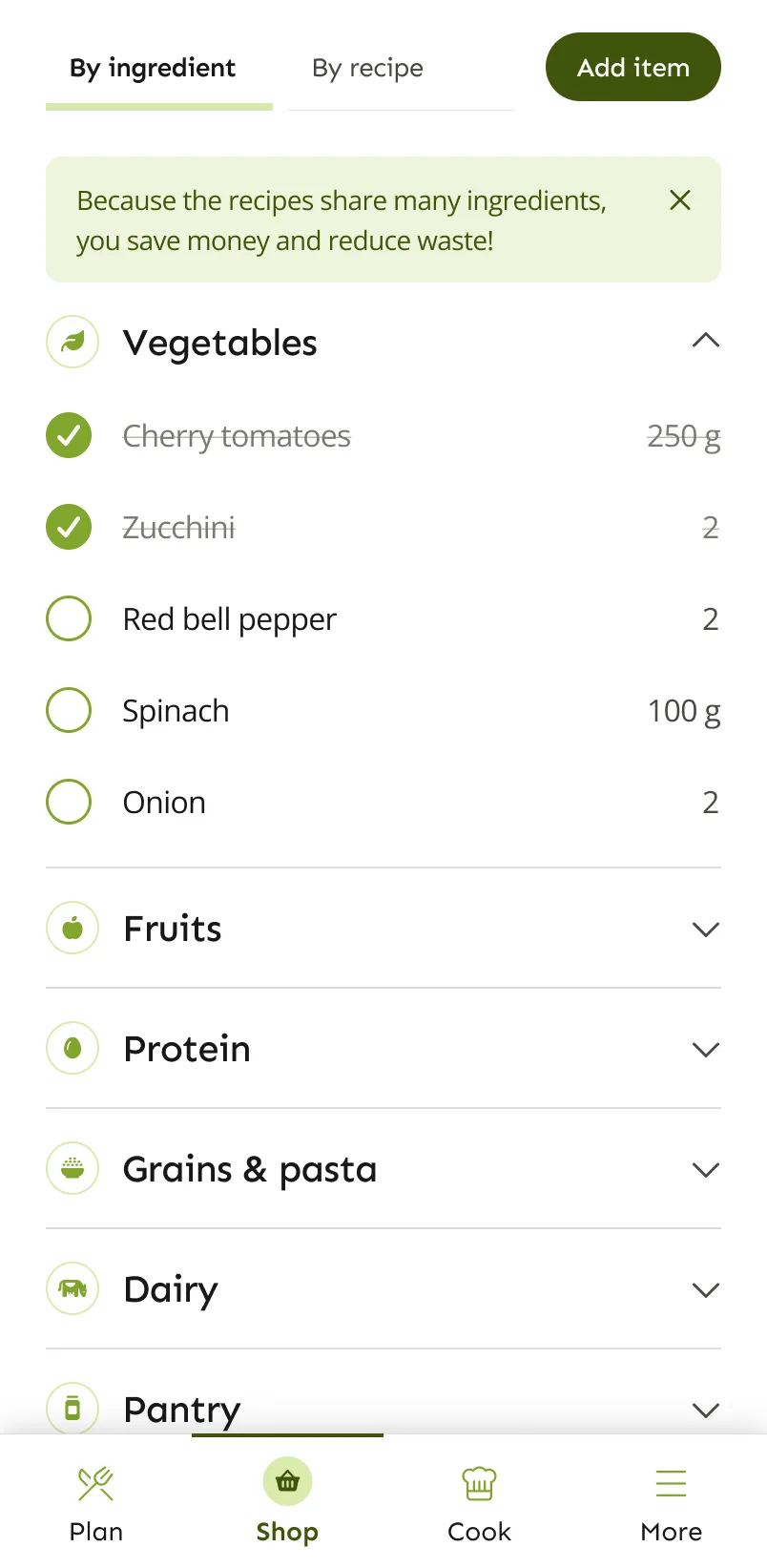
| Shopping lists | Free: create lists and share them by email. Adding a recipe’s ingredients combines similar items. AnyList Complete adds item photos, prices and store filters. | A grocery list built from the household plan, by ingredient or by recipe. Tick items off and add your own. |
| From plan to list | AnyList Complete: pick a date range on the calendar and add all or some of the ingredients to a list. | The list comes straight from the household plan, so there’s nothing to move over. |
| Recipes | Free: import up to 5 recipes from the web, type in or paste your own and group them into collections. AnyList Complete: unlimited imports and recipe scaling. | Recipes come with your plan. With Premium, you can save the ones you like. No importing from websites or other apps. |
| Household | Sharing lists is free. AnyList Complete comes as an individual or a household subscription, and AnyList lists household sharing of recipes and meal plans among its features. | Profiles for everyone you cook for, each with their own preferences, including children without an account. Household members with their own account can share household plans. |
| Cooking | A cooking view where you check off ingredients, highlight the current step and keep notes. | Step-by-step cooking mode with timers and the ingredients for each step. |
| Platforms | Free on iOS and Android, including Siri and Alexa. AnyList Complete adds web and desktop apps for Mac and PC and an Apple Watch app. | Android. Coming soon to iOS. |
| Pricing | Core features are free. AnyList Complete costs US$9.99 a year for one person or US$14.99 a year for a household, according to AnyList’s help centre. We didn’t find a free trial mentioned. | A free plan, plus Premium ($4.99 or €4.99 a month, euro price incl. VAT). Yearly billing costs less. |
Where AnyList shines
Sharing lists is free
Invite someone with their email address and you’re both working from the same list, without paying anything.
A capable planning calendar
With AnyList Complete you can plan on a calendar, reuse templates, plan leftovers and get ideas from your own recipes, then send what you need to your list.
One price for the household
The household version of AnyList Complete covers everyone in your home with one yearly subscription.
Available almost everywhere
Phones and voice assistants for free, plus the web, Mac and PC and Apple Watch with AnyList Complete.
Where LazyMeals may fit better
You want the plan suggested
AnyList’s ideas come from recipes you’ve already saved. LazyMeals suggests the plan from your preferences, so you don’t need a recipe collection to start.
Everyone’s preferences in one place
Diets, allergies, likes and dislikes for each person go into every plan you make.
Fewer steps from plan to shop
The grocery list comes from the plan, so there’s no separate step to move ingredients over.
Which one fits your household?
Your household mainly needs a shared shopping list
The core list features, including sharing, are free.
Our suggestion: AnyList
You have favourite recipes and want to schedule them
The calendar, templates and Queue in AnyList Complete are built for exactly that.
Our suggestion: AnyList
You use an Apple Watch or a computer
AnyList runs on both. LazyMeals is a mobile app for Android, coming soon to iOS.
Our suggestion: AnyList
You want the week suggested for you
LazyMeals drafts the meals, and you adjust them instead of choosing every one.
Our suggestion: LazyMeals
You cook for people with different diets
Each person’s preferences go into the plan, including children without an account.
Our suggestion: LazyMeals
Questions about AnyList and LazyMeals
Is AnyList’s meal planner free?
No. AnyList says meal planning is only available with AnyList Complete. Creating and sharing lists is free.
Does AnyList suggest meals?
Its Ideas tab, added in 2026, suggests recipes from your own recipe collection. LazyMeals drafts a plan from your household’s preferences instead, so you don’t need saved recipes to get started.
Can LazyMeals import my AnyList recipes or lists?
No. LazyMeals doesn’t currently import recipes or lists from other apps.
Where can I get LazyMeals?
LazyMeals is on Google Play for Android. The iOS version is coming soon.
Sources, checked on 2 November 2026: AnyList features · AnyList help: getting started · AnyList blog: meal plan update (January 2026)
LazyMeals is independent and isn’t affiliated with AnyList. Details about AnyList come from its official website and app store listings and can change, so check there for the latest information.
Want the plan made for you?
LazyMeals is on Google Play. Download it, add your household and get your first plan.

Coming soon to iOS.