
Now on Google Play
LazyMeals vs Paprika: which meal planning app is right for you?
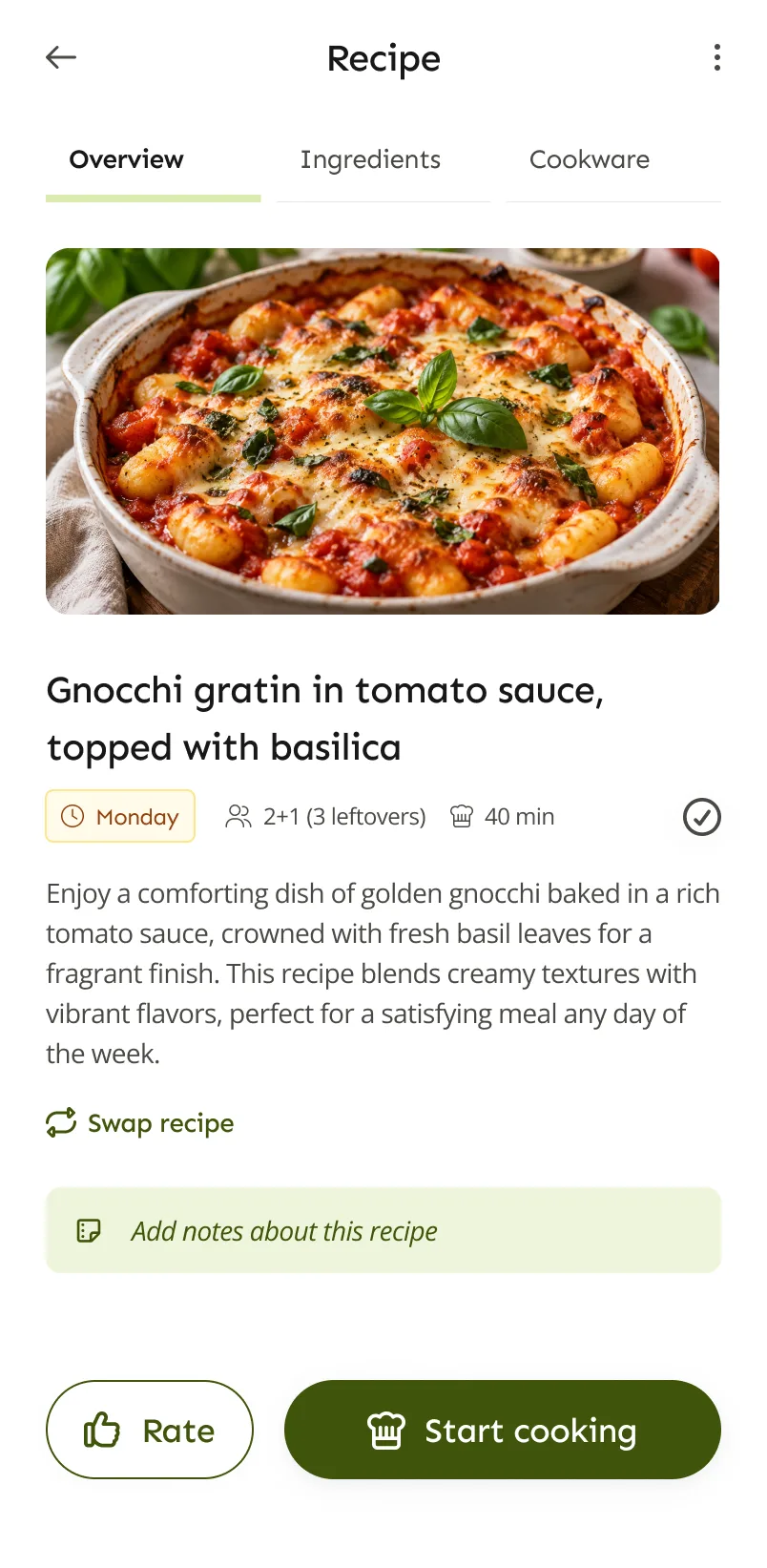
Paprika is a recipe manager for people who like to collect, organise and plan their own recipes. LazyMeals is a meal planning app that drafts the plan for you. Here’s how they differ, and when Paprika is the better pick.
The short answer
If you already have a recipe collection you love, or want to build one, Paprika is probably the better fit. It saves recipes from websites, keeps them organised and lets you plan meals and shop from them, with you making every choice.
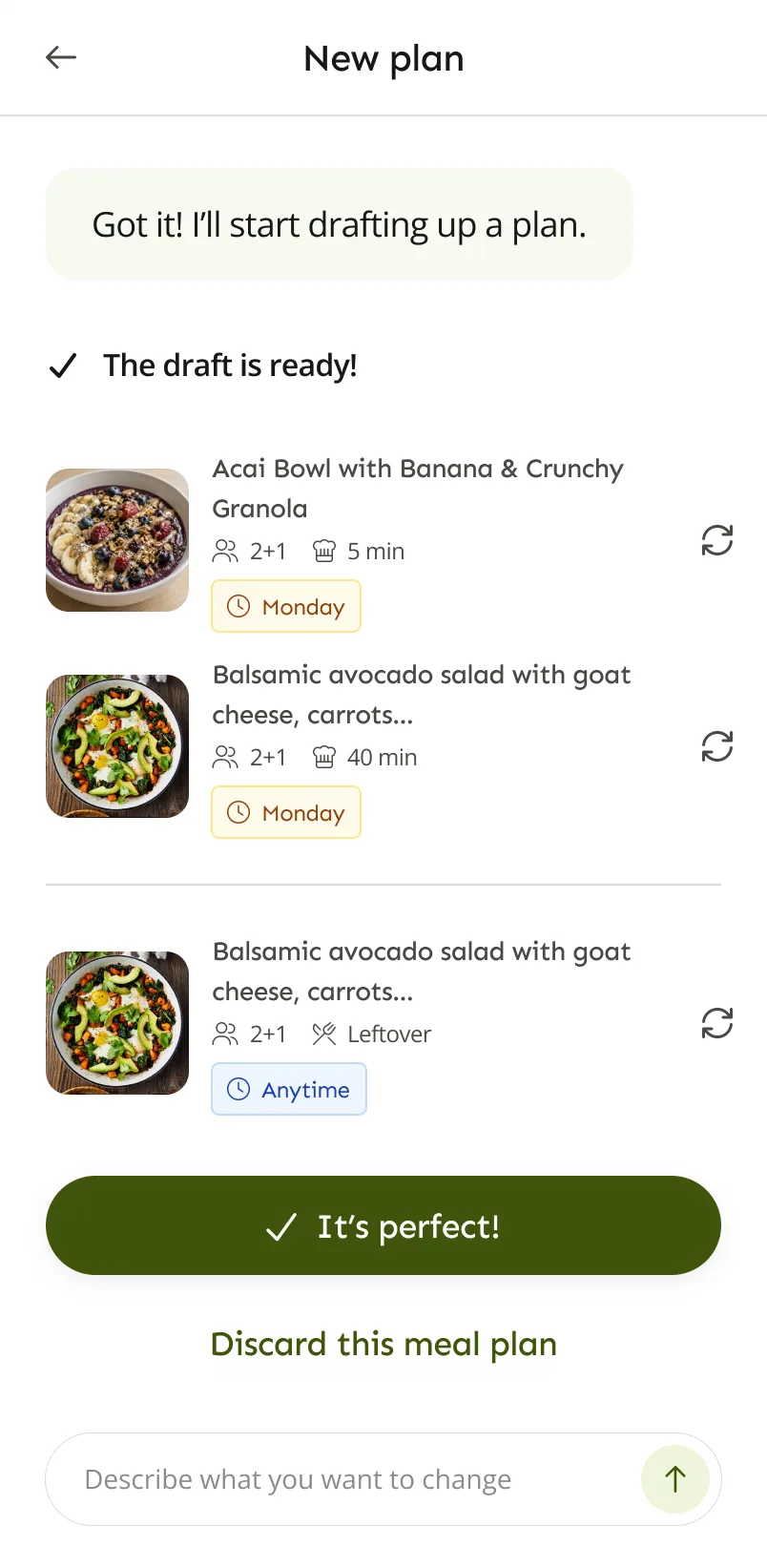
If the hard part is deciding what to cook, especially for several people with different tastes, LazyMeals may suit you better. It drafts a plan from your household’s preferences, and you adjust it by swapping recipes or describing what you want changed.
Paprika and LazyMeals side by side
Paprika details come from its website, its Paprika 3 user guide and its Paprika 4 announcement. Paprika 4 was in open beta for existing users when we checked, so its new features are marked as beta.
| Compared | Paprika | LazyMeals |
|---|---|---|
| Making a meal plan | You add recipes to a daily, weekly or monthly planner and move meals around by drag and drop. Reusable menus help with meals you repeat. | LazyMeals drafts a plan from your household’s preferences and explains why it was recommended. You swap recipes or describe changes in your own words. |
| Recipes | Save recipes from websites with the built-in browser, import files from some other recipe apps, and organise with categories and ratings. Paprika 4 (beta) adds scanning recipe cards and cookbook pages, imports from TikTok, Instagram, Facebook and YouTube, cookbooks and better search. | Recipes come with your plan, and with Premium you can save the ones you like. LazyMeals can’t import recipes from websites or other apps. |
| Household | Paprika 3 syncs your recipes, meal plans and lists across your devices. Paprika 4 (beta) adds family sharing, with separate logins and shared recipes, grocery lists and meal plans. | Add the people you cook for, including children without an account, each with their own preferences. Household members share meal plans, and the grocery list is built from the plan. |
| Grocery list | Add recipes to one of several grocery lists. Similar ingredients are combined and sorted by aisle, and a pantry keeps track of what you already have. | Built from your plan, by ingredient or by recipe. Tick items off and add anything extra. |
| Cooking | Timers picked up from recipe steps, crossing off ingredients, highlighting the current step, scaling and unit conversion. | Step-by-step cooking mode with timers and the ingredients for each step. |
| Platforms | Mac, Windows, iOS and Android. Each version is sold separately. | Android. Coming soon to iOS. |
| Pricing | Each version is a one-time purchase, with cloud sync included. Paprika’s website listed the Windows version at a sale price of US$29.99 when we checked; other versions are priced in each app store and vary by country. Windows has a free trial and Android a free version, both limited to 50 recipes without sync. Paprika says premium features will need a subscription after the Paprika 4 beta. It hadn’t announced the price when we checked. | A free plan, plus Premium ($4.99 or €4.99 a month, euro price incl. VAT). Yearly billing costs less. |
What Paprika does well
A recipe library that’s yours
Paprika is built around your own collection. Save recipes from hundreds of recipe sites, sort them into categories, rate them and find them again quickly.
Full control over the plan
You decide what goes on which day, across a week or a whole month, and can reuse menus that work for you.
A well-organised grocery list
Ingredients from several recipes are combined and sorted by aisle, and the pantry helps you skip what you already have.
Desktop apps too
Paprika runs on Mac and Windows as well as phones, which helps if you like to plan on a bigger screen.
Where LazyMeals may fit better
You don’t want to pick every meal
LazyMeals suggests the whole plan, so you don’t start each week with an empty planner.
Several people, different tastes
Each person’s diet, allergies, likes and dislikes go into the plan, including children without an account.
Changes in plain words
Describe what you want changed instead of rebuilding the week yourself.
Which one should you choose?
You have a large recipe collection
Its importing, organising and search tools are made for a growing library.
Our suggestion: Paprika
You enjoy planning and want every choice to be yours
You build the plan yourself, recipe by recipe.
Our suggestion: Paprika
You save recipes from social media
Paprika 4, in open beta for current users, adds imports from TikTok, Instagram, Facebook and YouTube. LazyMeals doesn’t import recipes.
Our suggestion: Paprika
You use a Mac or a Windows PC
LazyMeals is a mobile app for Android, coming soon to iOS. No desktop version has been announced.
Our suggestion: Paprika
You plan for a household and are tired of deciding
It drafts the plan around everyone’s preferences, so you review it instead of starting from scratch.
Our suggestion: LazyMeals
Questions about Paprika and LazyMeals
Can LazyMeals import my Paprika recipes?
No. LazyMeals doesn’t currently import recipes from Paprika, other apps or websites. If your recipe collection is at the heart of how you cook, it makes sense to keep it in Paprika.
Does Paprika make meal plans for you?
Paprika’s guides describe a planner you fill yourself: you add recipes to days and move them around. We didn’t find automatic meal plan creation in its official materials.
Will Paprika 4 cost extra?
Paprika says all the new features are available to test during the beta, which is open to current users, and that premium features will need a subscription afterwards. It hadn’t published the price when we checked.
Can I use both apps?
Yes. You could keep your recipe library in Paprika and use LazyMeals when you want a plan drafted for you. The two apps don’t sync with each other.
Where can I get LazyMeals?
LazyMeals is on Google Play for Android. The iOS version is coming soon.
Sources, checked on 2 November 2026: Paprika website · Paprika 4 open beta announcement · Paprika 3 user guide (Windows) · Paprika for Windows (price and trial) · Paprika on Google Play (free version)
LazyMeals is independent and isn’t affiliated with Paprika. Details about Paprika come from its official website and app store listings and can change, so check there for the latest information.
Want help deciding what to cook?
LazyMeals is on Google Play. Download it, add your household and get your first plan.

Coming soon to iOS.